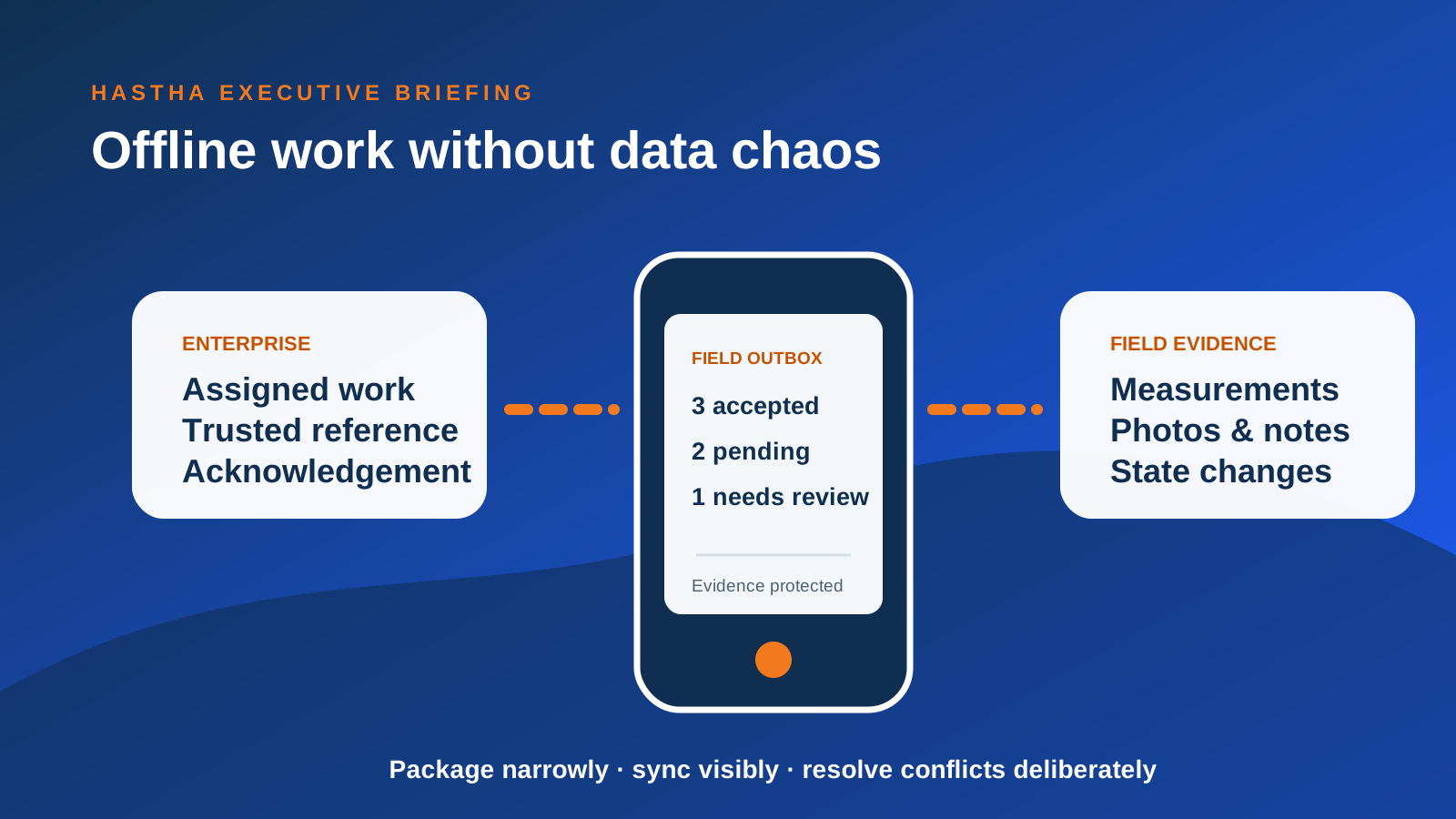
Offline capability is not a smaller version of the online application. It is a temporary distributed system operating in an uncertain environment. Devices hold copies of enterprise information, users make decisions against those copies, and new evidence must later be reconciled with a system that may have changed while the device was disconnected.
The design objective is not to copy everything. It is to give each role enough trusted information and capability to complete defined work safely, then return evidence without losing meaning, creating duplicates or hiding conflicts.
Define the offline mission
Start with the work that must continue when connectivity is absent or unreliable. A technician completing assigned maintenance has a different offline mission from an inspector surveying a corridor or a supervisor reallocating work. Define how long the user may be disconnected, the geographic area involved, the expected transaction volume and the consequences of stale information.
This mission determines the data package, device storage, synchronisation frequency and support model. It also helps teams refuse attractive but unnecessary scope. Offline access to every asset, document and historical transaction usually increases risk and reduces usability.
Create an explicit data contract
For every offline object, define the authoritative source, fields required on the device, update direction, retention period and permitted user actions. Separate reference data from transactional data and evidence. Reference data may be refreshed periodically; a work-order status change or safety observation may require stronger sequencing and acknowledgment.
The contract should include deletion and revocation. If access changes or a work assignment is withdrawn, determine how the local copy is invalidated. If a device is lost, know what information was stored and how enterprise access is disabled.
What must be available before the user leaves coverage?
What may the user create or change while disconnected?
Which updates are append-only evidence and which change shared state?
How long may information remain on the device?
What acknowledgement proves that the enterprise accepted the update?
Model state transitions and conflicts
Many offline failures come from treating synchronisation as a file-transfer problem. Business objects have states and rules. A work order assigned in the morning may be cancelled, reprioritised or completed by another team before an offline device reconnects. The system needs a deliberate response, not a silent last-write-wins update.
Classify conflicts by consequence. Some can merge automatically, such as independent notes. Some require user choice, such as competing measurements. Others should be rejected and escalated, such as attempting to complete cancelled work. Present conflict messages in operational language and preserve both the attempted action and resolution for audit.
Separate evidence capture from final posting
Field evidence is often difficult or expensive to recreate. Protect it locally as soon as it is captured, show the user its synchronisation status and retry safely. Photos, signatures, coordinates and measurements may be uploaded separately from the business transaction, but the relationship must remain intact.
Use stable client-generated identifiers so retries do not create duplicates. Keep an outbox the user can understand: pending, sent, accepted or needs attention. A generic spinning synchronisation icon is insufficient when the evidence supports safety, compliance or payment.
Design for field attention, not office assumptions
Offline users may work in gloves, bright light, vehicles, confined spaces or time-critical environments. Reduce typing, make required evidence obvious and allow tasks to resume after interruption. Show what is available offline before the user departs coverage. Avoid burying sync errors in a settings screen.
The interface should communicate information age and confidence. A clear “last updated” time, coverage status and pending-action count helps users judge whether to proceed, refresh or escalate. Good offline design makes uncertainty visible without making the user manage technical infrastructure.
Test failure as a normal operating condition
Testing should include interrupted downloads, partial uploads, duplicate submissions, expired sessions, full device storage, changed assignments, clock drift, app upgrades and long periods without connection. Use representative data volumes and actual field devices. Laboratory Wi-Fi switching is not enough.
Measure successful completion, sync latency, conflict rate, rejected transactions, evidence loss, support effort and user recovery. A pilot is successful when users can complete the mission and the enterprise can trust what returns—not merely when the app opens offline.
Make offline ownership part of operations
After go-live, someone must own failed queues, compatibility, device policy, content refresh and business exceptions. Establish operational dashboards and support playbooks before scale. Review whether the data package and controls remain appropriate as workflows change.
Before rollout, assign ownership for device policy, failed synchronisation, content refresh and support. Test the recovery procedures with the teams who will use them.